The problem with chat overlays
Twitch streamers want chat on screen. It drives engagement, helps viewers follow conversations, and makes streams feel more alive.
But current tools ask too much. Create an account. Verify your email. Pick from five themes. Hope the service doesn't shut down. Trust some server with your data.
Streamers shouldn't need to sign up for another service just to show chat on stream.
A different approach
Cartridge Chat puts your entire overlay configuration in the URL itself. No accounts. No database. No servers storing your preferences.
Design your overlay, copy the URL, paste it into OBS. Done.
Share your design with a friend? Send them the link. Back up your config? Bookmark it. Every setting lives in that URL, which means your overlay works forever, you're never locked in, and there's nothing to track.
What you can do
Start with a theme, make it yours
Five built-in themes cover the range from playful to minimal. Cute gives you colorful bubble-style messages. Midnight goes dark and sleek. Clean disappears into any background. Tilty adds personality with rotated badges. Streamline uses bold full-width cards.
Every theme is a starting point. Change anything you want.
Animate messages in and out
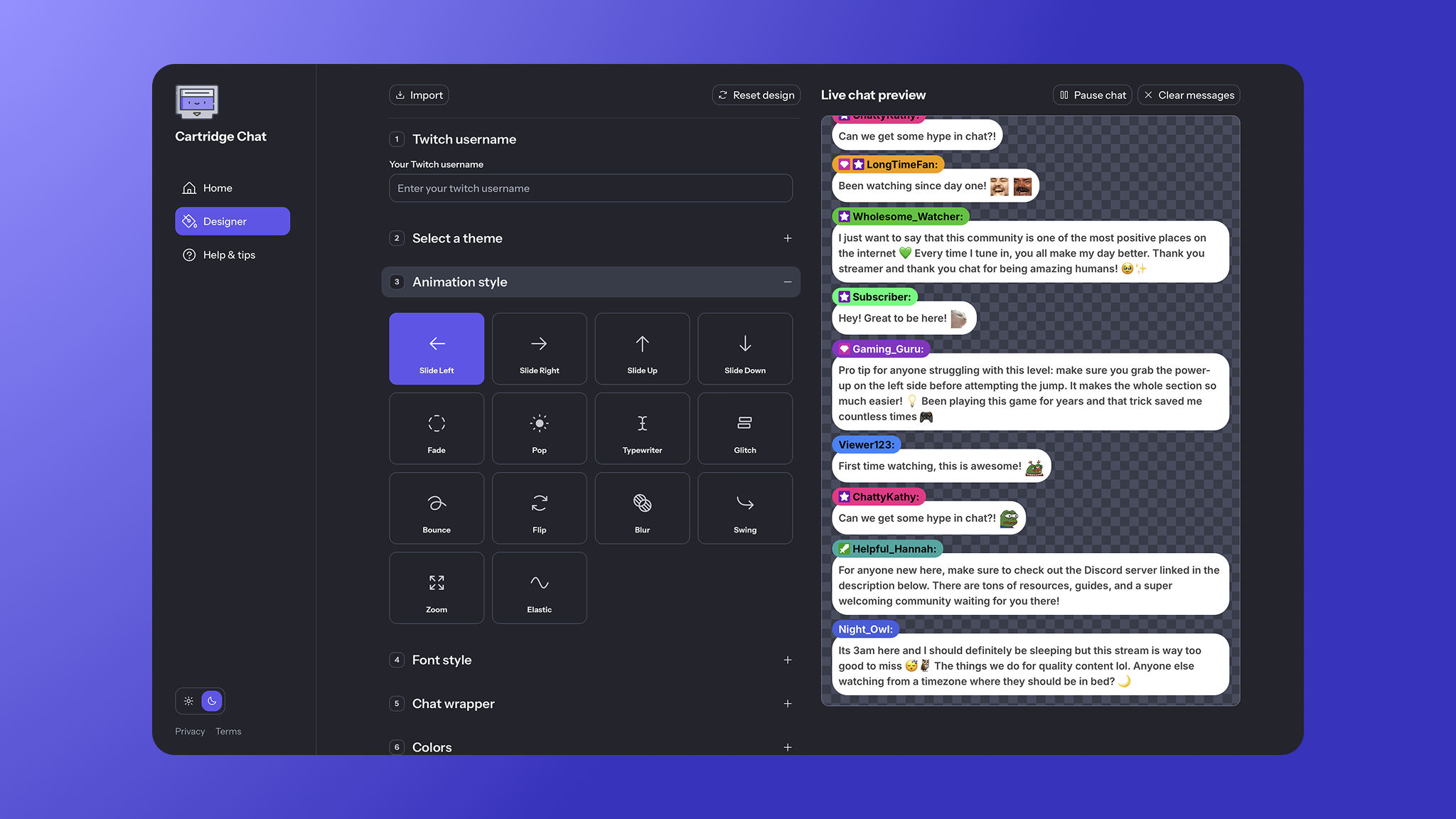
Fourteen animation styles let messages enter with character. Slide from any direction. Fade, pop, bounce, or zoom in. Get creative with typewriter, glitch, flip, or elastic effects.
Turn on animate-out mode and messages exit just as smoothly as they arrived.
Use the emotes your community uses
BTTV, FrankerFaceZ, and 7TV emotes work automatically. Channel-specific and global emotes load without any setup.
Control every detail
Typography, colors, spacing, timing. Separate settings for usernames and messages. Opacity controls for backgrounds and shadows. Message lifetime, scroll direction, bot filtering. If it affects how your chat looks or behaves, you can change it.
How it works
The URL is the configuration
Every setting serializes into URL parameters. Change a setting, the URL updates. Copy that URL into OBS and your overlay renders exactly as designed.
No server-side state means nothing can break. No database means nothing gets lost. The URL is portable, shareable, and permanent.
Direct connection to Twitch
The overlay connects straight to Twitch's IRC servers using tmi.js. No proxy sitting in the middle. Lower latency, no third parties touching your chat data, and read-only access means no OAuth required.
Built for performance
Fixed message buffers prevent memory bloat. Memoized emote lookups keep rendering fast. Intersection Observer handles viewport tracking efficiently. The whole thing is optimized for Chromium, which is what OBS uses under the hood.
Open source, top to bottom
Inspect the code. Fork it. Contribute. Self-host if you want. Built with Next.js 14, TypeScript, styled-components, and Framer Motion. The codebase includes a complete design system with 40+ reusable components.
Why this matters
Streamer tools don't need accounts, subscriptions, or lock-in. Cartridge Chat proves you can build something powerful, beautiful, and completely free of those constraints.
Your overlay. Your URL. No strings attached.